Updating PICT Up
Run [Check for new version] from the PICT Up program menu.

- The PC must be connected to the Internet before running [Check for new versions].
- The latest version of the installer can also be downloaded from download button on the PICT.
- From the [Start] menu, Click [All apps] - [PICT Up] - [Check for new versions].
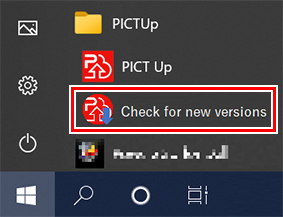
- Start a tool to check the new version.
- Click [Next].
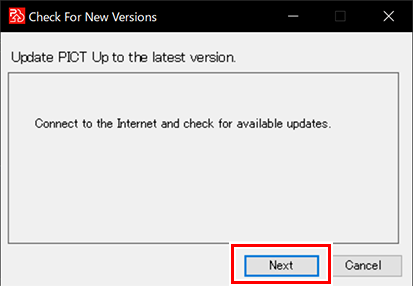
- The following message appears when a new version has been released.
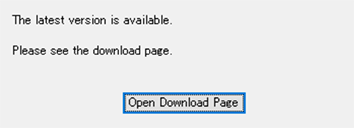
- Click [Open Download Page].
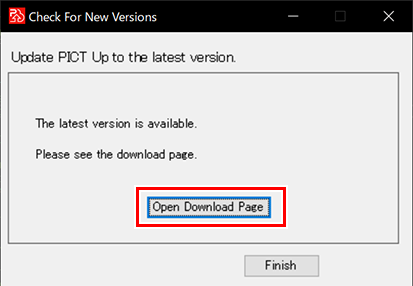
- The download page appears on the Web browser.
- Download the installer.
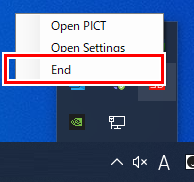
- If PICT Up is running, exit from the task tray menu.
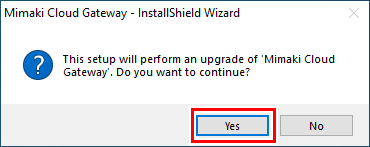
- Run the installer downloaded in step 4 and click [Yes].
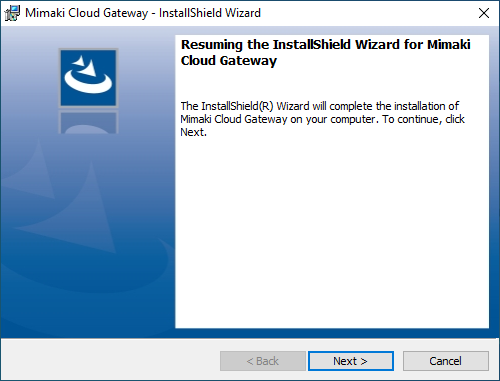
- Apply the update as instructed by the setup wizard.