
Checking Printer Maintenance Alert
The maintenance alert of a printer can be checked.
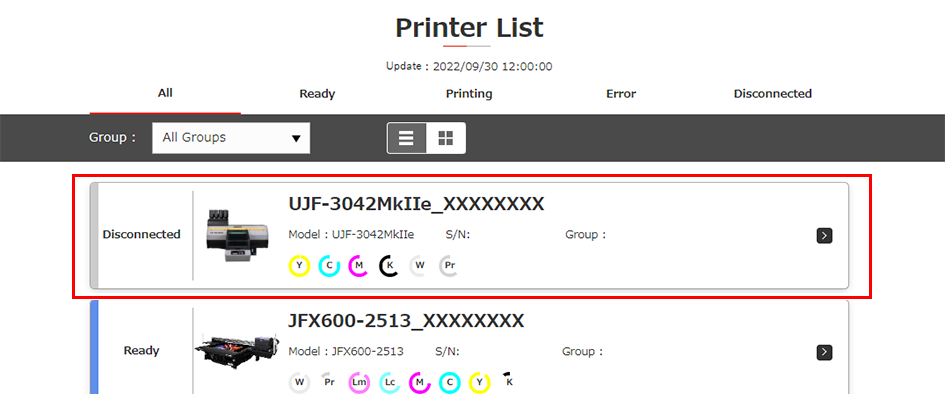
- Click a printer in [Printer List] to check its maintenance alert.
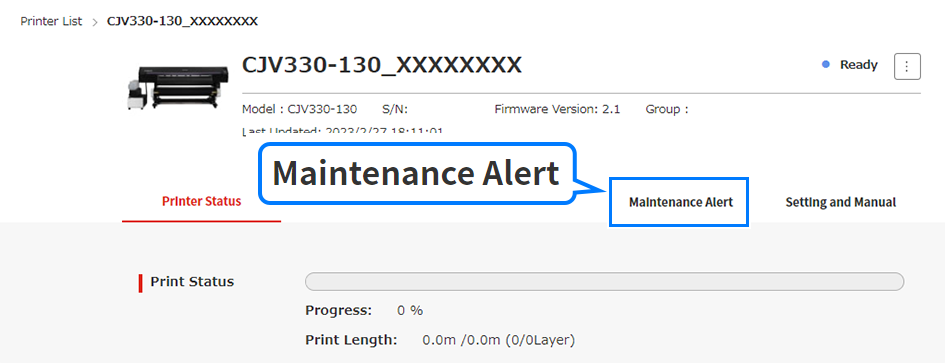
- The current status is displayed for the selected printer. Click the [Maintenance Alert] tab.
- Maintenance-related alerts are displayed.
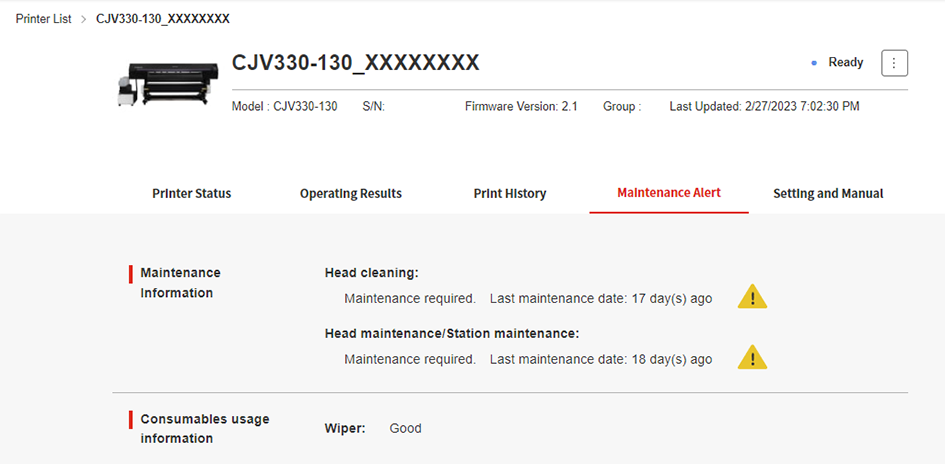
- [The following information is displayed on the Maintenance Alert tab:

Display item | Explanation |
|---|---|
Maintenance information | Displays the periodic maintenance records and maintenance alerts. |
Consumables usage information | Displays the consumption and alerts for replacement of consumable items. |
Error/warning list | Displays information on up to five current printer errors/warnings. |
