
Cloud Setup Procedure
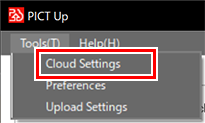
- Click [Cloud Settings] in the [Tools] menu.
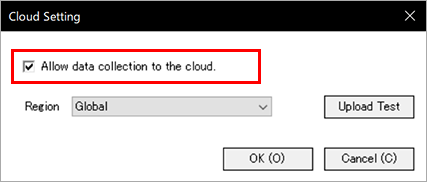
- The [Cloud Settings] dialog appears.
- Select the [Allow data collection to the cloud.] check box.
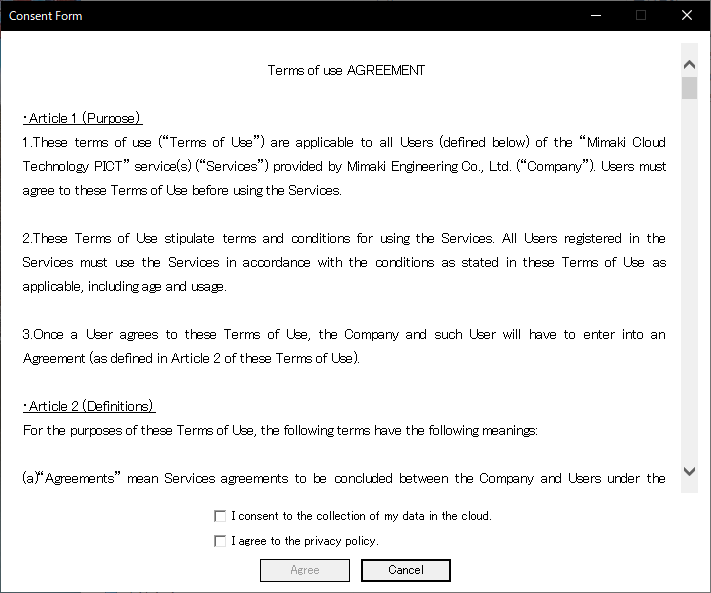
- If consent for data collection has not yet been given, the [Consent Form] window appears for confirming that the user agrees to allow data collection.
- Make sure of the data collection agreement and privacy policy.
- If there is no problem, select the two check boxes, then click [Agree].
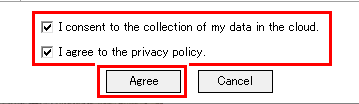
- Selecting the two check boxes enables the [Agree] button.

- Once agreement has been given, the agreement window will not subsequently appear when settings are changed.
- Click [Upload Test].
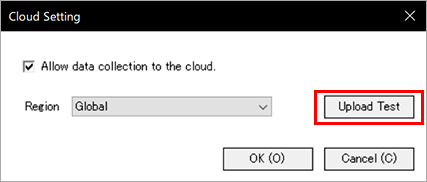
- A test is carried out to upload data to the cloud, and the results are displayed.
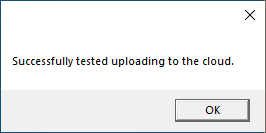
- If uploading fails, check that the PC is connected to the Internet.
- Click [OK].
- The settings are saved.
