
Setting a Group for a Printer
Setting a group for a printer allows the list to be filtered by group on the [Organization Dashboard] window.
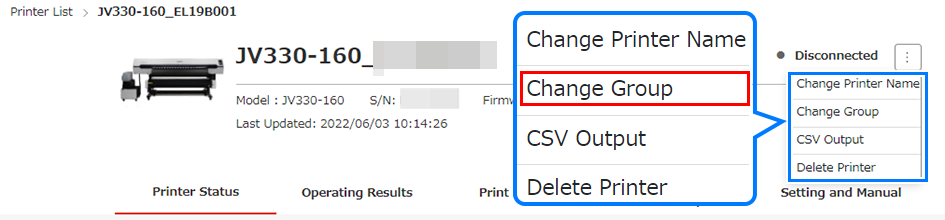
- Select a printer in [Printer list] to set a group.

- A group must be created in advance on the Organization Management window in order to be set as a group for a printer.
- Select [Change Group] from the menu.
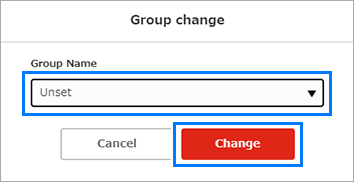
- The change group dialog appears.
- Select the desired group, then click [Change].
- The group to which the printer belongs will be updated.
