
Inviting a new user to an organization

- Up to 10 accounts can be created.
- Click [New] on the account list.
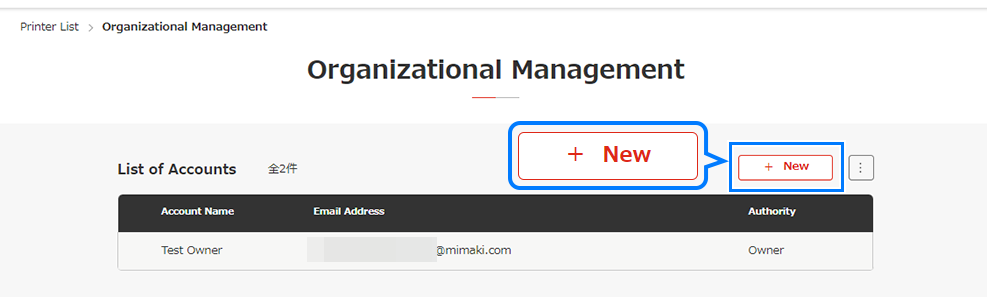
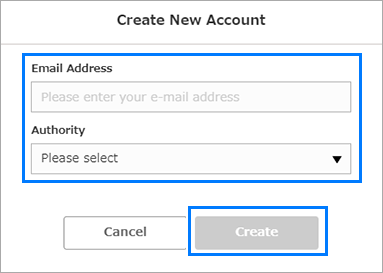
- The [Create New Account] dialog appears.
- Enter the email address, select the authority to be assigned to the account, then click [Create].
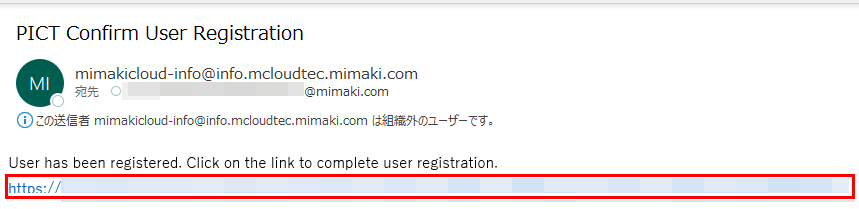
- An invitation email to PICT will be sent to the email address entered.

- On receiving an invitation, the member must perform the following procedure:
If no invitation email appears, check the junk email folder.
- Click the URL contained in the invitation email.
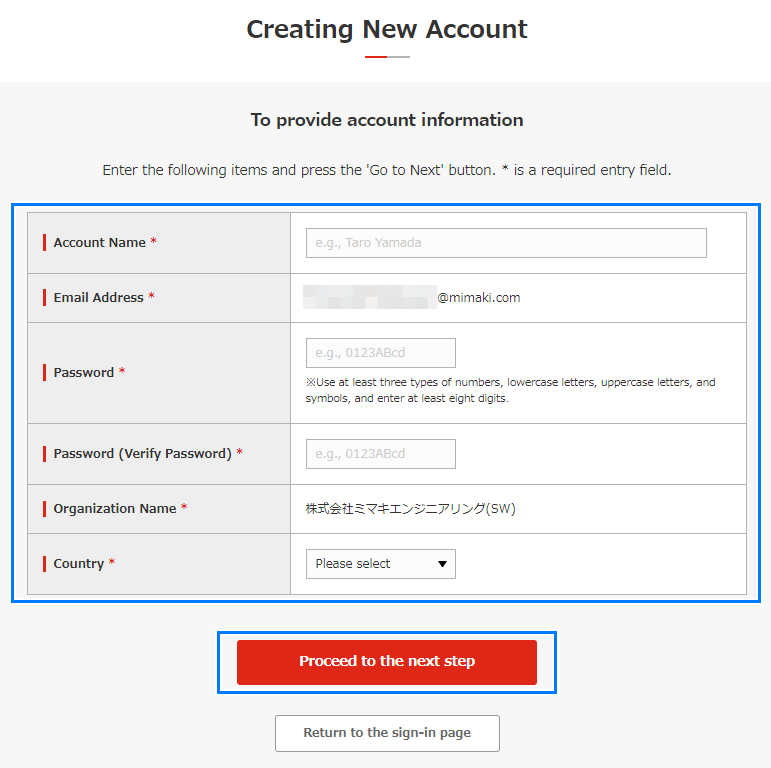
- The [Creating new account] window appears.
- Enter the [Account Name], [Password], and [Password (Verify Password)] information, then click [Proceed to the next step].
- The account is created, enabling the user to sign in to PICT.
