
Deleting an account from an organization
- Click the menu icon [
 ] to the right of the account for which the authority is to be changed in [List of Accounts], then select [Delete Account] in the menu that appears.
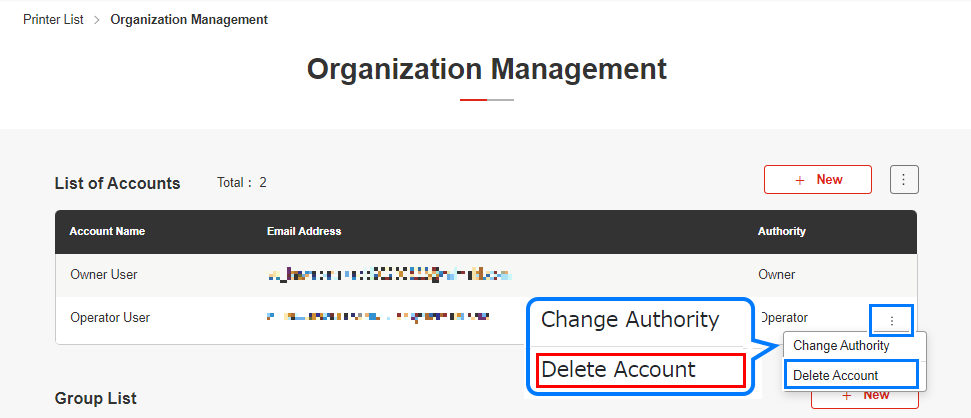
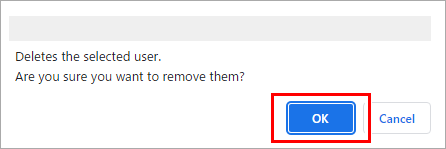
- The deletion confirmation dialog appears.
- Click [OK].
- Check in [List of Accounts] to confirm that the account in question is no longer listed.
