
Deleting an organization

- An organization can be deleted only by an account with [Owner] authority.
- It is important to note that deleting an organization also deletes all of the information for accounts associated with it.
- Click the menu icon [
 ] on the right side in [List of Accounts], then select [Delete Organization] in the menu that appears.
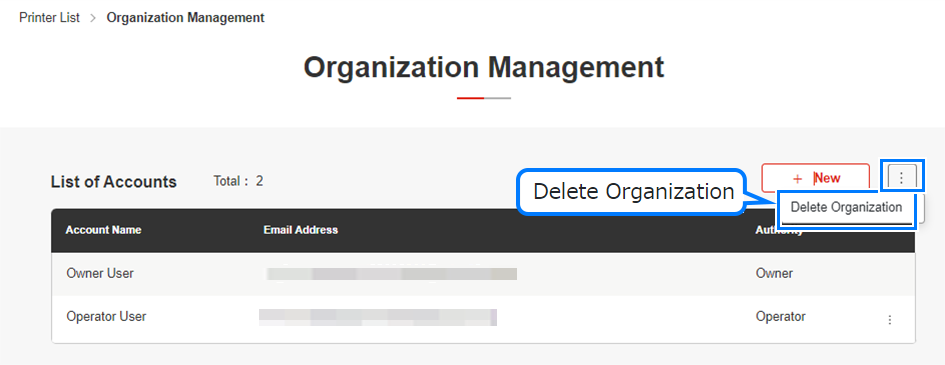
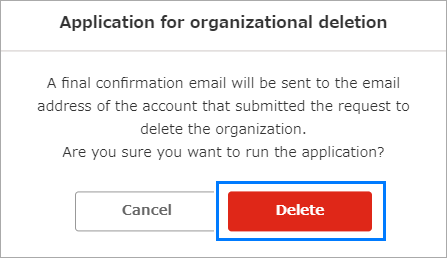
- The [Delete Organization] dialog appears.
- Click [Delete].
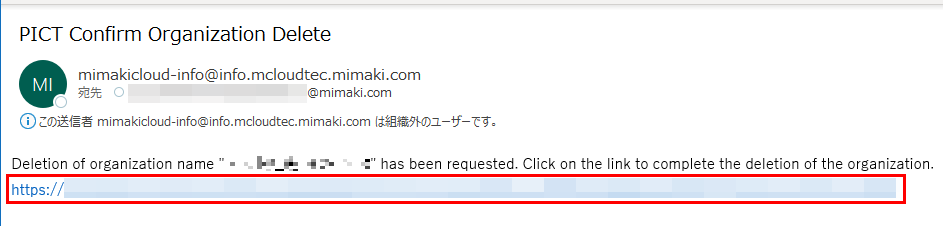
- A final deletion confirmation email will be sent to the created account.
- Click the URL provided in the final deletion confirmation email.
- The organization and its accounts will be deleted.
- Check to confirm that you can no longer sign in to PICT.
