Organization Management
Managing Groups
Creating a new group
Managing Groups
Creating a new group
Up to 10 groups can be created.
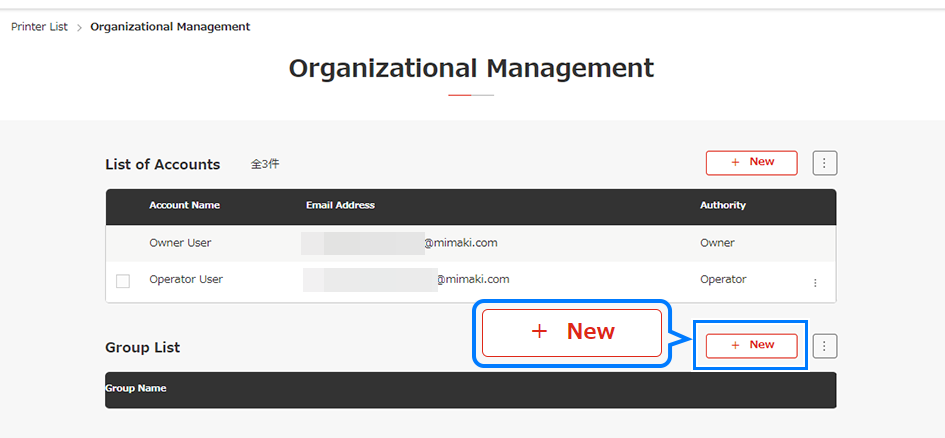
Click [New] on the group list.
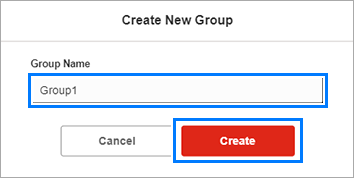
The [Create new group] dialog appears.
Enter the desired group name, then click [Create].
Check to confirm that the group created is listed in [Group List].
Menu
Home
Official Site
Language
US-English
Home
Official Site