
Deleting a group
- Click the menu icon [
 ] on the right side in [Group List], then select [Delete Group] in the menu that appears.
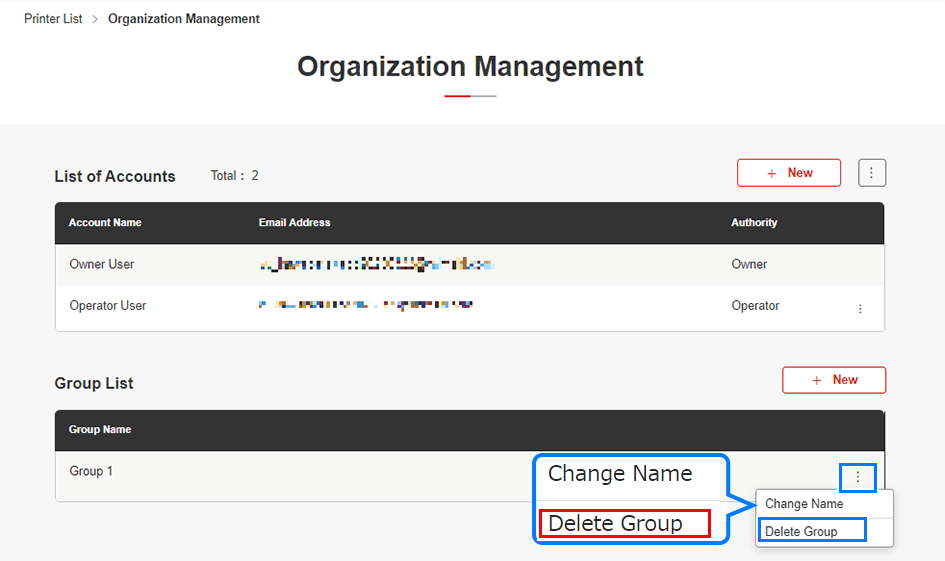
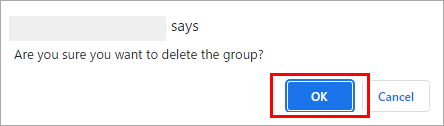
- The group deletion dialog appears.
- Click [OK].
- Check to confirm that the group in question has been deleted from [Group List].
