
Deleting a Printer Registration
A printer registration can be deleted so that it is no longer displayed on the printer list.
The data for deleted printers will be excluded from the collected results.

- To display the data for a deleted printer in PICT, re-register the printer in PICT Up.
I want to re-upload a previously deleted printer - The printer data prior to deletion will be retained for up to three months.
- Select the printer to be deleted in [Printer List].
- Select [Delete Printer] from the menu.

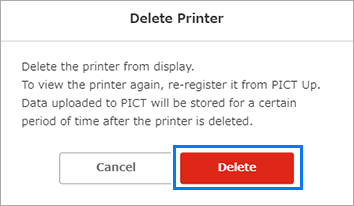
- The [Delete Printer] dialog appears.
- Select [Delete].
- The printer registration is deleted, and the display returns to the printer list.
