I want to change the network port setting
Change the network port setting as follows.
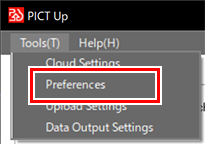
- Select [Preferences] in the [Tools] menu.
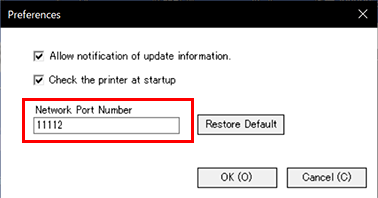
- Enter the new network port number and click [OK].
- The new setting is saved.

- Clicking [Restore Defaults] will reset the network port number to the default (11112).
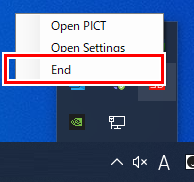
- Click [End] from the task tray icon and restart PICT Up.