
Data uploading is disabled
If [Upload disabled: not a priority.] appears on the PICT Up [Printer List], the printer has been registered with priority in PICT Up installed on a different PC.
I want to know about priority data uploading
To enable data uploading on the current PC, re-register the printer using the following procedure:

- Select [Upload Settings] in the [Tools] menu.
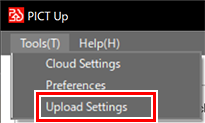
- The [Upload Settings] dialog appears.
- Select the printer for which data uploading is to be enabled, then click [Update].
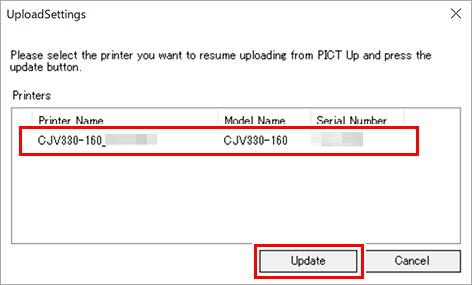
- The upload settings change complete dialog appears.
- Click [OK].
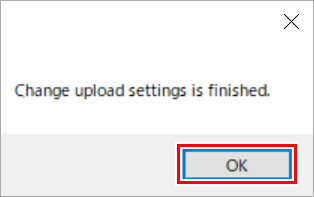
Once this procedure is complete, data uploading is now enabled.
