
Log Display - Operations
Display [Log Display] screen
- Open the task tray at the bottom right of the Windows screen.
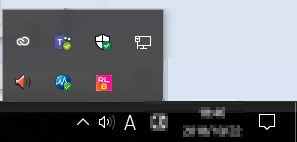
- The icons are displayed for the resident programs in the task tray.
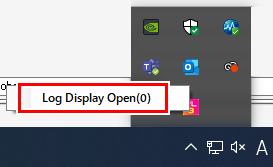
- Left Click the [RasterLink8] icon.
- Or right-click, then click [Log Display Open].
- The [Log Display] screen is displayed, displaying the message details.
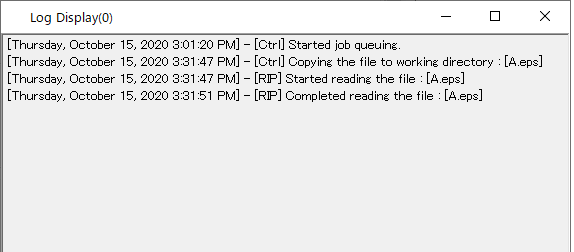
- Closing the [Log Display] screen reverts to the Windows notification function.
