<iframe src="https://www.googletagmanager.com/ns.html?id=GTM-NDFSXW4"height="0" width="0" style="display:none;visibility:hidden"></iframe>
Useful Functions
Job Name Search
Display job name search function
Job Name Search
Display job name search function
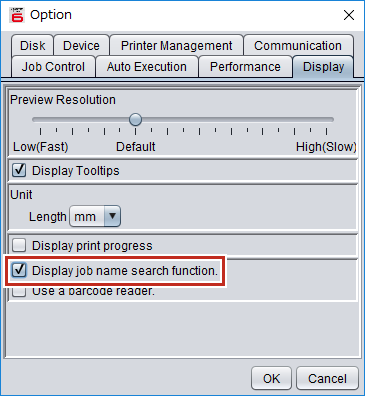
Select [Environments] - [Option] - [Display] tab.
Select the [Display job name search function.] check box.
Restart
RasterLink6Plus
.
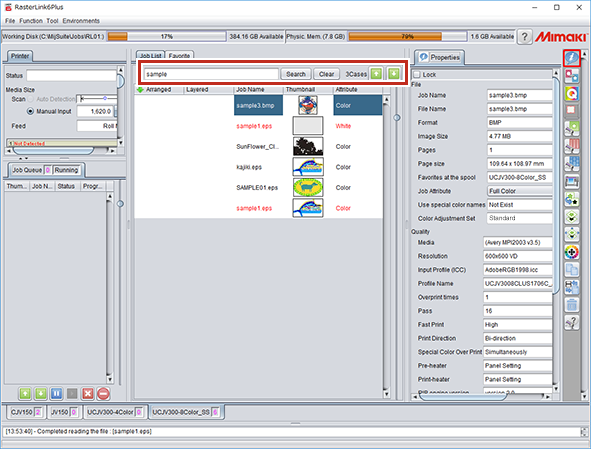
The job search is displayed.
Menu
Home
Portal
Official Site
Language
US-English
Home
Portal
Official Site