
Change account authority
- Click the menu icon [
 ] to the right of the account for which the authority is to be changed in [List of Accounts], then select [Change Authority] in the menu that appears.
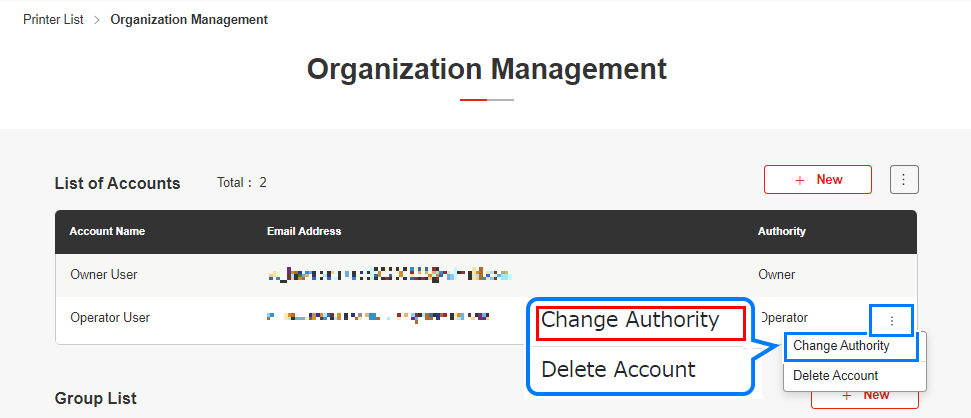
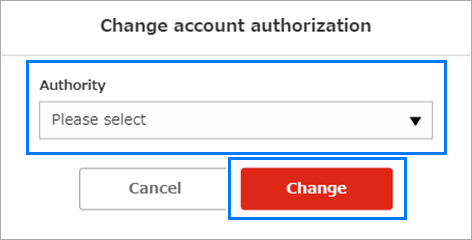
- The [Change Authority] dialog appears.
- Select the new authority, then click [Change].
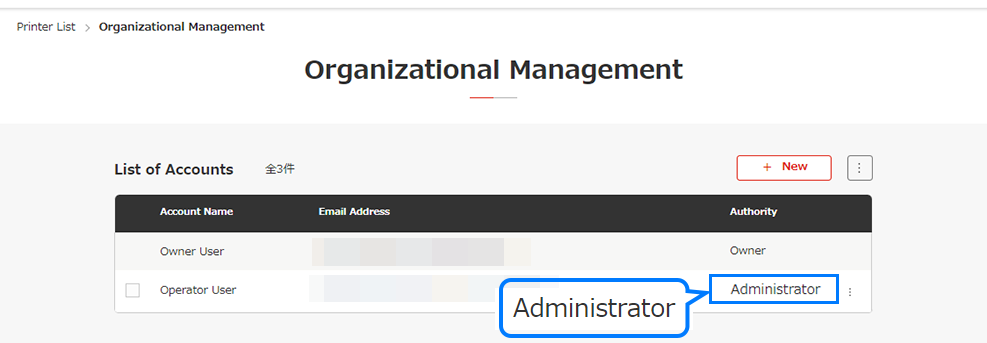
- Check in [List of Accounts] to confirm that the [Authority] setting has been changed for the related account.

Transferring owner authority
- Owner authority can be assigned to only one account within an organization.
- Owner authority can only be transferred by the account with owner authority, by reassigning the authority to another account.
I want to change the organization ownership
