
Linking to Cloud Storage
Linking to cloud storage allows supported software settings files to be backed up.

- Cloud storage refers to an online service that allows data to be saved and shared via the Internet.
Commonly used cloud storage includes Google Drive and Microsoft OneDrive. - Refer to Cloud storage connection settings before using cloud storage.

- A separate cloud storage account is required for the user.
- Cloud storage linking settings can be changed only by an owner account.
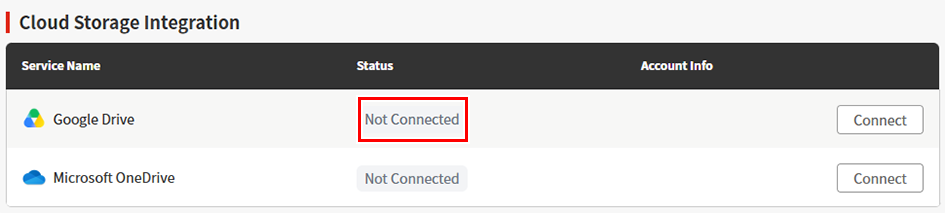
- Click [Connect] for the service you wish to connect to under [Cloud Storage Integration].
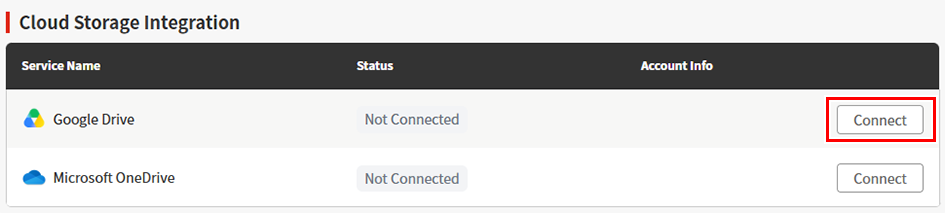
- The storage linking window appears for the corresponding service.
- Follow the instructions for the corresponding service to allow linking.
- For more information, refer to Cloud storage connection settings.
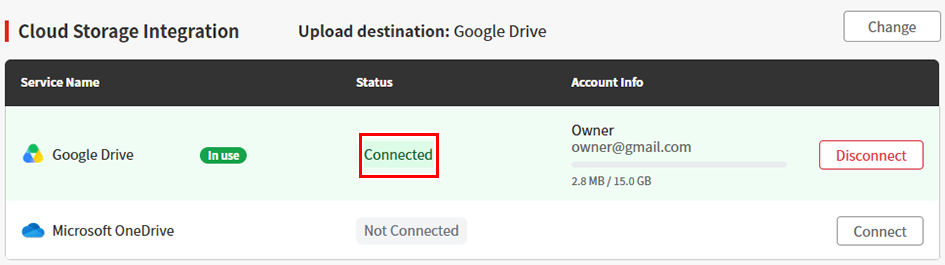
- Once linking is complete, the status changes to "Connected".
Unlinking cloud storage
- Click [Unlink] for the service to be unlinked.
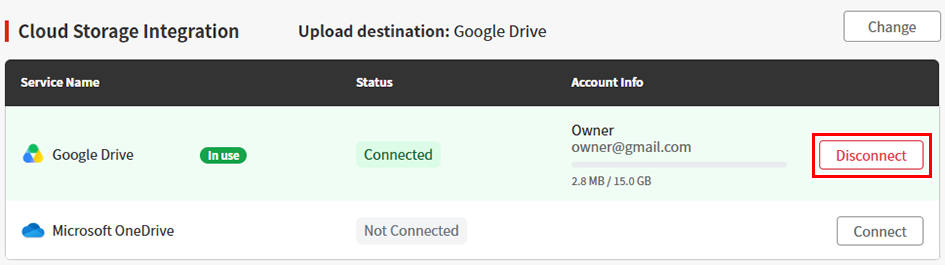
- The disconnect cloud storage integration dialog appears.
- Check the details, then click [Unlink].
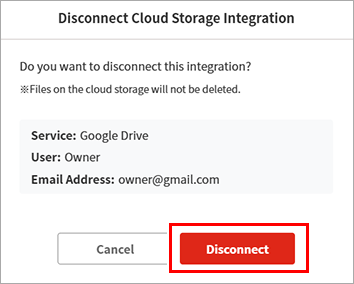
- Cloud storage linking is canceled.
Changing the upload destination
The service to which files are uploaded can be changed.
- Multiple services can be linked, but files can be set to be uploaded to only one service.
- Click [Change] under Cloud Storage Integration.
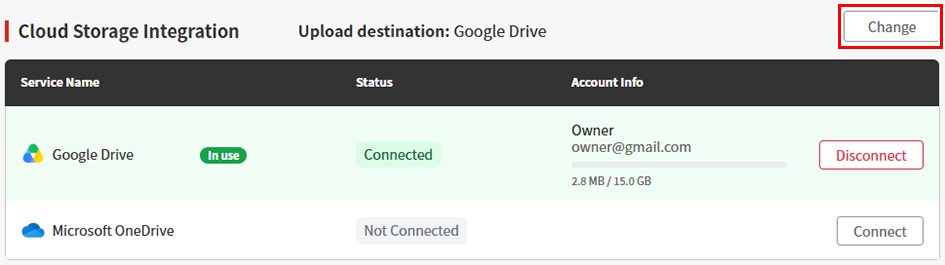
- The upload destination setting dialog appears
- Select the upload destination, then click [Change].
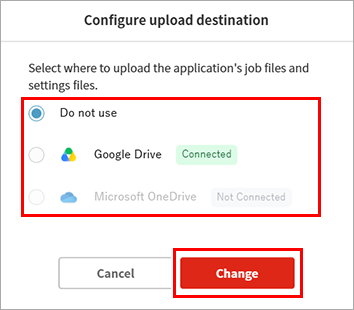
- The file upload destination will be changed to the selected service.
