
Main Menu
This section describes the pull-down menu at the top right of the PICT window.
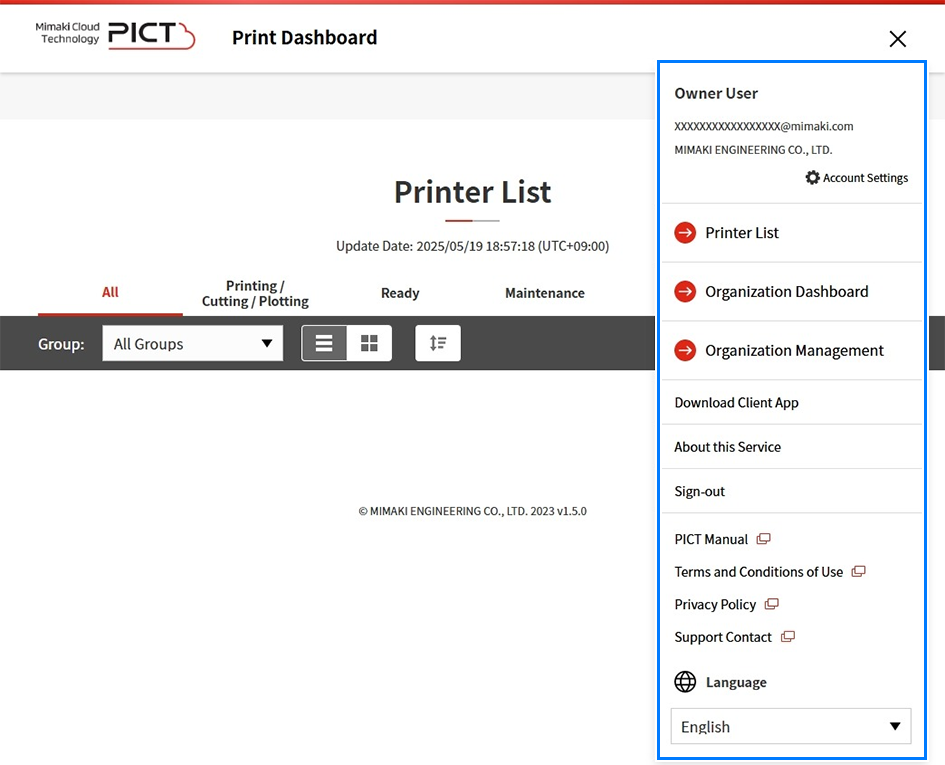
- Account Information
- Displays the information for the account currently signed in.
- Account Settings
- Displays the window for editing the account settings.
- Printer List
- Displays a list of registered printers.
Open the printer list - Organization Dashboard
- Displays data showing the operating results for all of the registered printers.
Checking All Printer Operating Results - Organization Management
- Displays the Organization Management window.
Managing Organizations and Accounts - Operation Assistance
- Displays the Operational Assistance window.
Checking a Production Report - Download Client App
- Downloads the PICT Up installer client app in PICT.
- About this service
- Sign-out
- Signs out from PICT, and returns to the sign-in page.
- Manual
- Displays the PICT online help (this manual).
- Terms and Conditions of Use
- Privacy Policy
- Displays the privacy policy on the official Mimaki website.
- Support Contact
- Displays the support contact page on the official Mimaki website.
- Language
- Selects the PICT display language.
